ChatGPT Voice is now built for a real conversation
OpenAI's new GPT-Live models now power ChatGPT Voice. The visible change is simple: ChatGPT can listen while it is speaking, so the exchange feels less like leaving a voice note and more like talking through an idea with someone who can keep up.
You can interrupt with a follow-up, pause to gather your thoughts, ask it to slow down, or tell it to listen before answering. The page below separates the everyday Voice update from the desktop Work and Codex controls so you can see which part is relevant to you.
You do not have to package every thought perfectly
Use Voice when you are still figuring something out: planning a trip, talking through a decision, brainstorming a post, or asking a question that will probably lead to three more questions. You can change a constraint halfway through instead of starting over with a carefully rewritten prompt.
A simple way to try it: say what you know, then add the next detail as it occurs to you. For example: “Help me plan a three-day trip. Keep it under $900. Actually, make that somewhere I can reach without renting a car.” Review any current prices, availability, or travel details against the original source before booking.
It can keep the conversation moving while it does more
GPT-Live can hand off web search or deeper reasoning in the background while it continues the spoken conversation. That means you can keep narrowing an idea or asking follow-ups instead of staring at a loading state.
OpenAI also lists live translation as a GPT-Live capability. Treat it as help for an active conversation, then confirm anything important such as medical, legal, financial, travel, or business information from the original source.
On desktop, ChatGPT can work while you talk to it
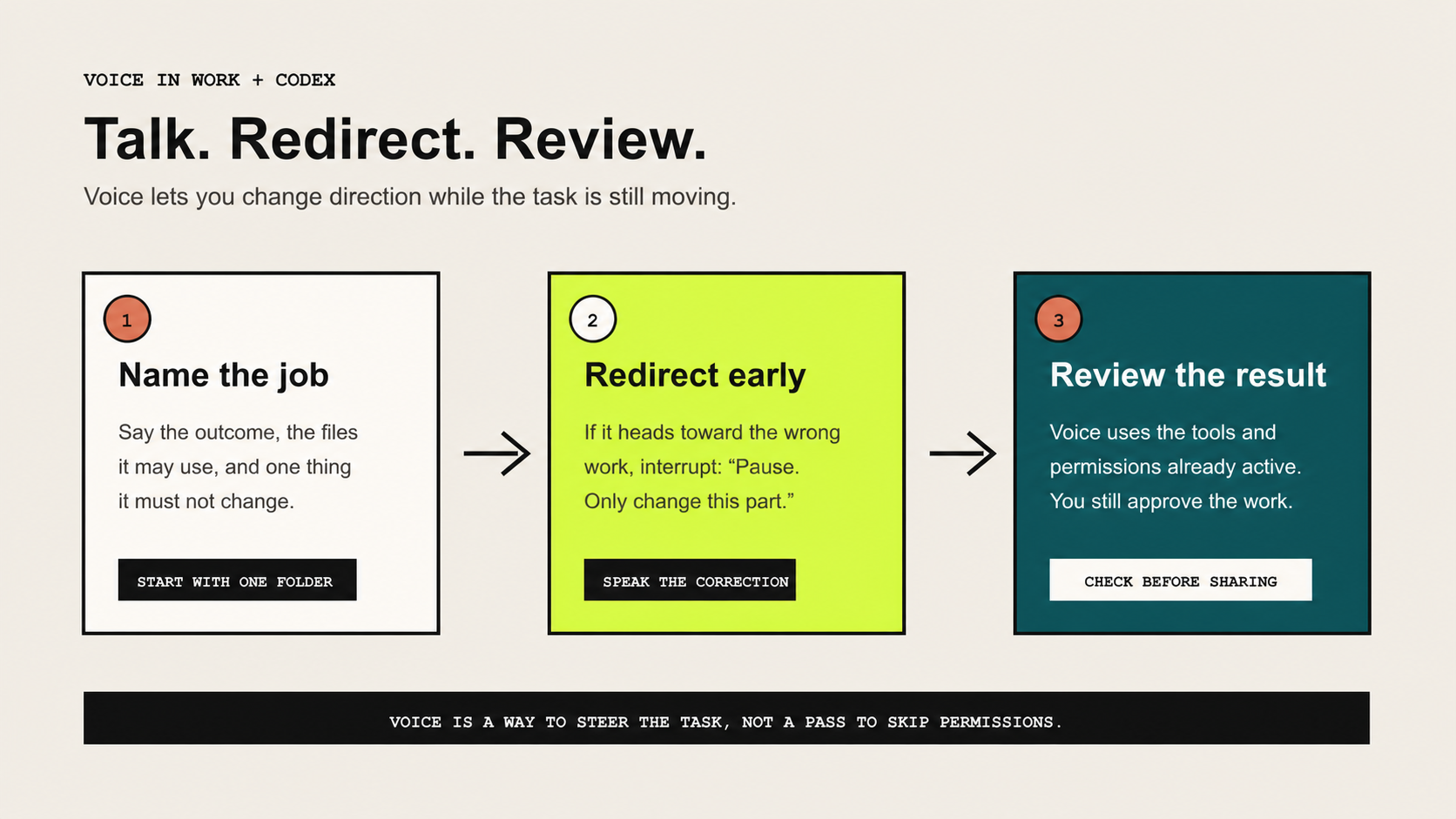
In the ChatGPT desktop app, Voice in Work or Codex lets eligible users ask what the task is doing, interrupt it, and change direction while it works with the local tools available to that experience. This is the closest part of the update to the “talk to your computer” idea.
Start with one reversible task, such as organizing draft files or reviewing a small project folder. Say what you want done, interrupt early if the direction changes, and inspect the result before you share or publish anything.
Check the version of Voice you actually have
GPT-Live is rolling out across consumer ChatGPT plans on supported web and mobile surfaces. Your options can still depend on your plan, region, workspace, and app version. Voice in Work and Codex is a separate desktop experience for eligible accounts on macOS and Windows.
At launch, GPT-Live does not support voice with video or screen sharing in ChatGPT. It is also not a reason to hand an agent every file on your computer. Keep local access narrow, especially around passwords, finances, client records, or anything you would not want exposed in the wrong project.